Infekja
- 3 mins
Infekja: CLI Tool
https://github.com/debug-majora/Infekja
What is Infekja?
Infekja is a macOS based CLI tool that helps eliminate the manual work when analyzing a potentially malicious macOS application. I created Infekja to help speed up my own triage process when analyzing macOS malware samples, and I wanted to share it with the community to help others as well.
Derived from the Bosnian words infection (‘infekcija’) and apple (‘jabuka’), Infekja is a macOS Malware Analyzer CLI Tool designed to streamline and simplify the process of examining potentially malicious macOS malware. By utilizing native macOS commands to analyze files and software, and enriching the gathered information through tools like VirusTotal, Infekja helps assess the likelihood of malicious behavior.
Use Case #1: Analyzing a AMOS “Deepseek” DMG
To demostrate how Infekja can be used in practice, we’ll analyze an AMOS sample from last year that impersonated a Deepseek macOS application, and compare how it would be done through manual analysis. The malware sample in question can be seen here.
Moving the sample to our malware directory, and cloning/downloading Infekja, we can get started! 
What we first start Infekja, we’ll see this greeting: 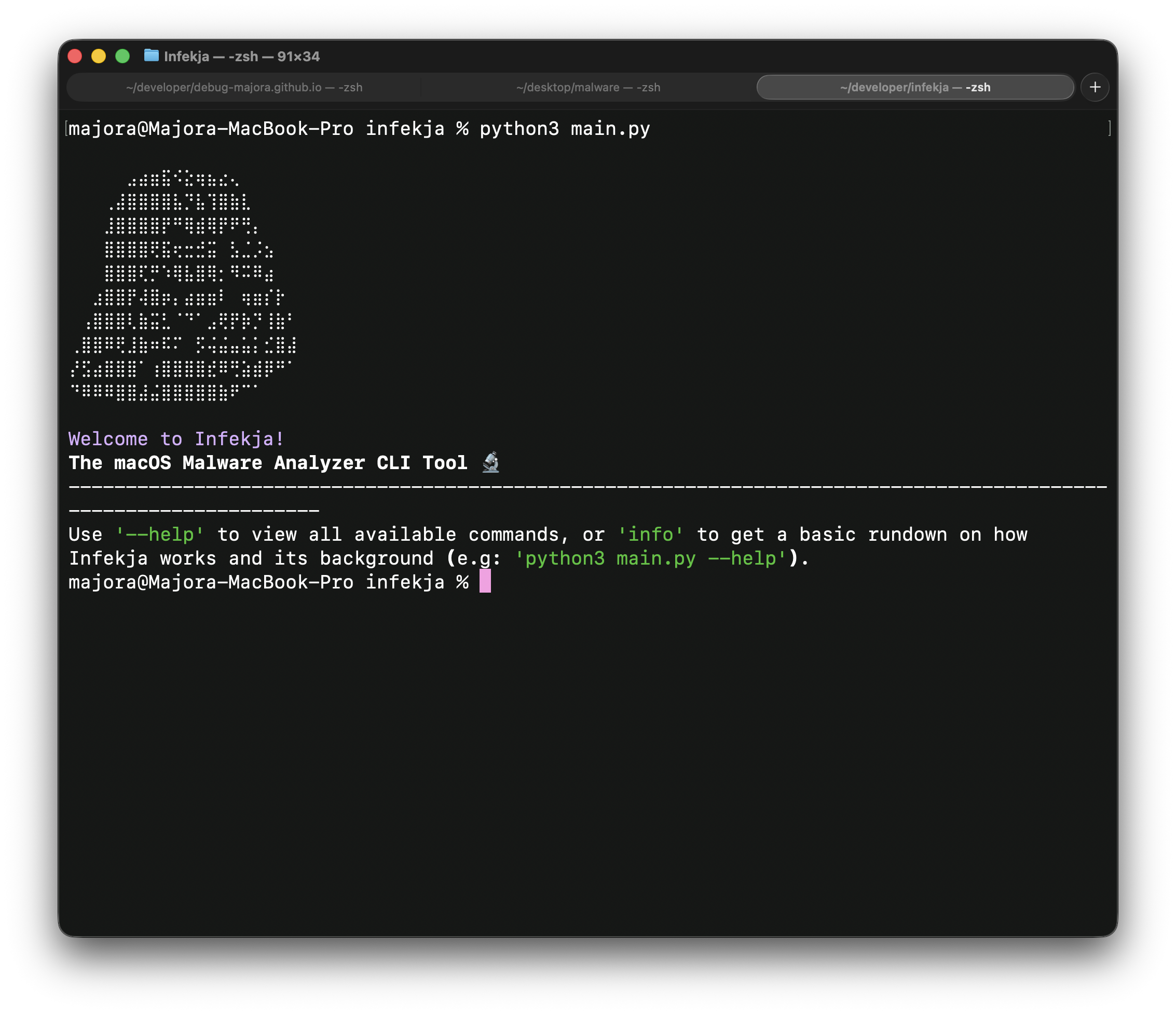
After invoking the ‘–help’ flag, we can see the available options below. We’ll be leveraging the ‘analyze’ option. 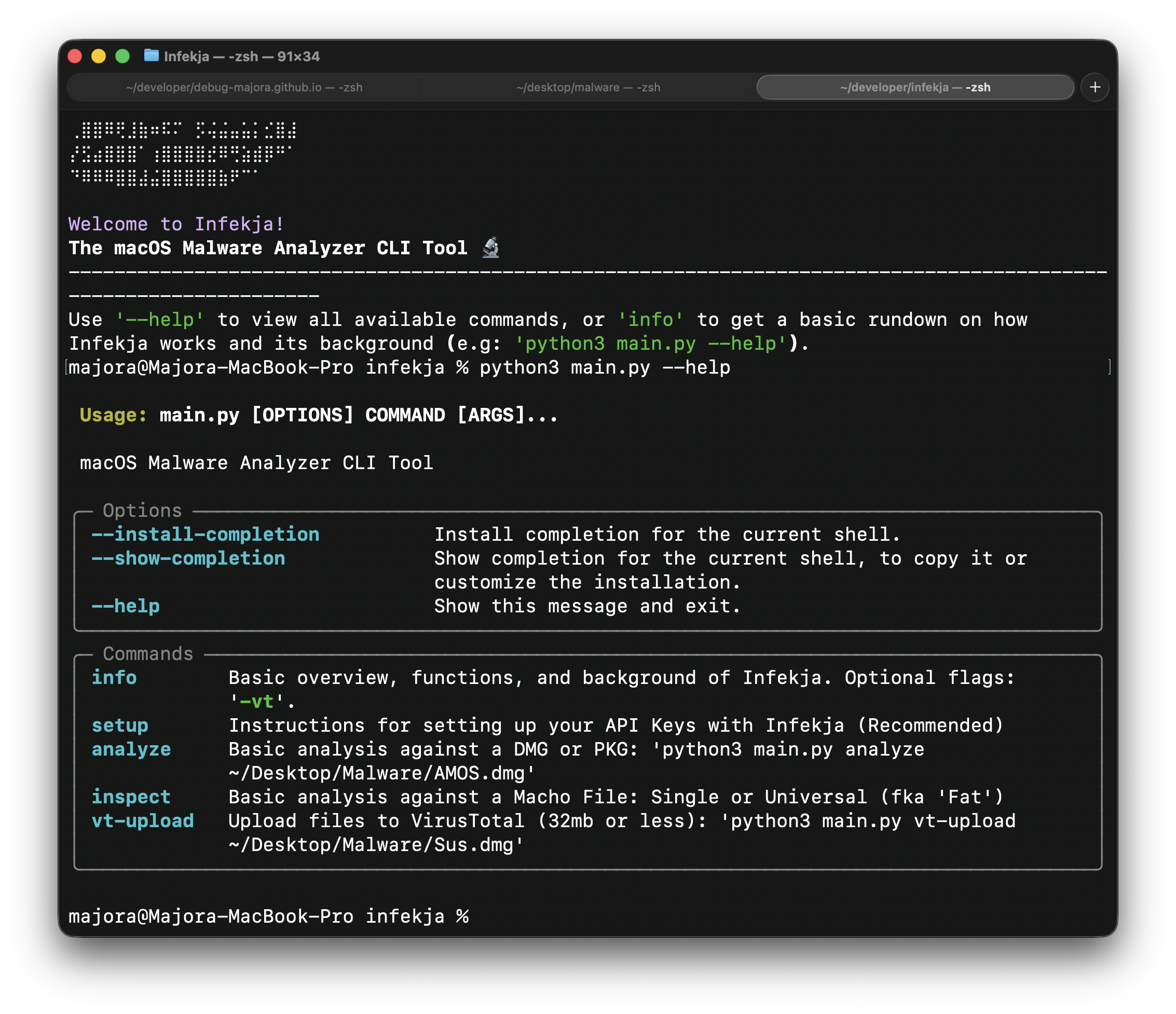
Invoking the analyze command with our “Deepseek” sample, we can see Infekja begin its analysis. Lets walk through each step it performs:
- observes the file type (valid DMG in this case) and where it originates from.
- gathers file metadata: sha256 hash, signing info
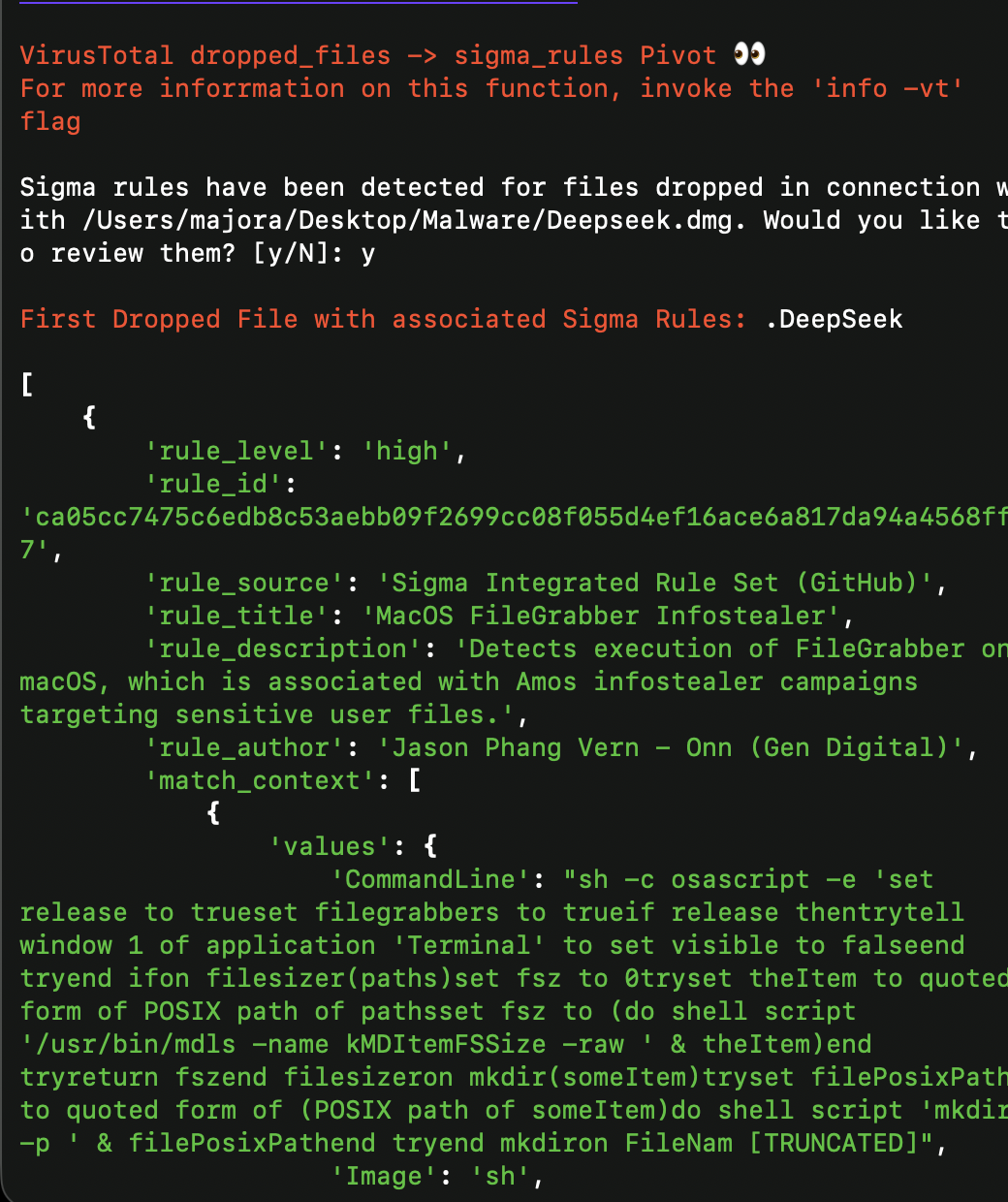
- queries VirusTotal for reputation information, as well as an optional dropped files -> sigma rules pivot.
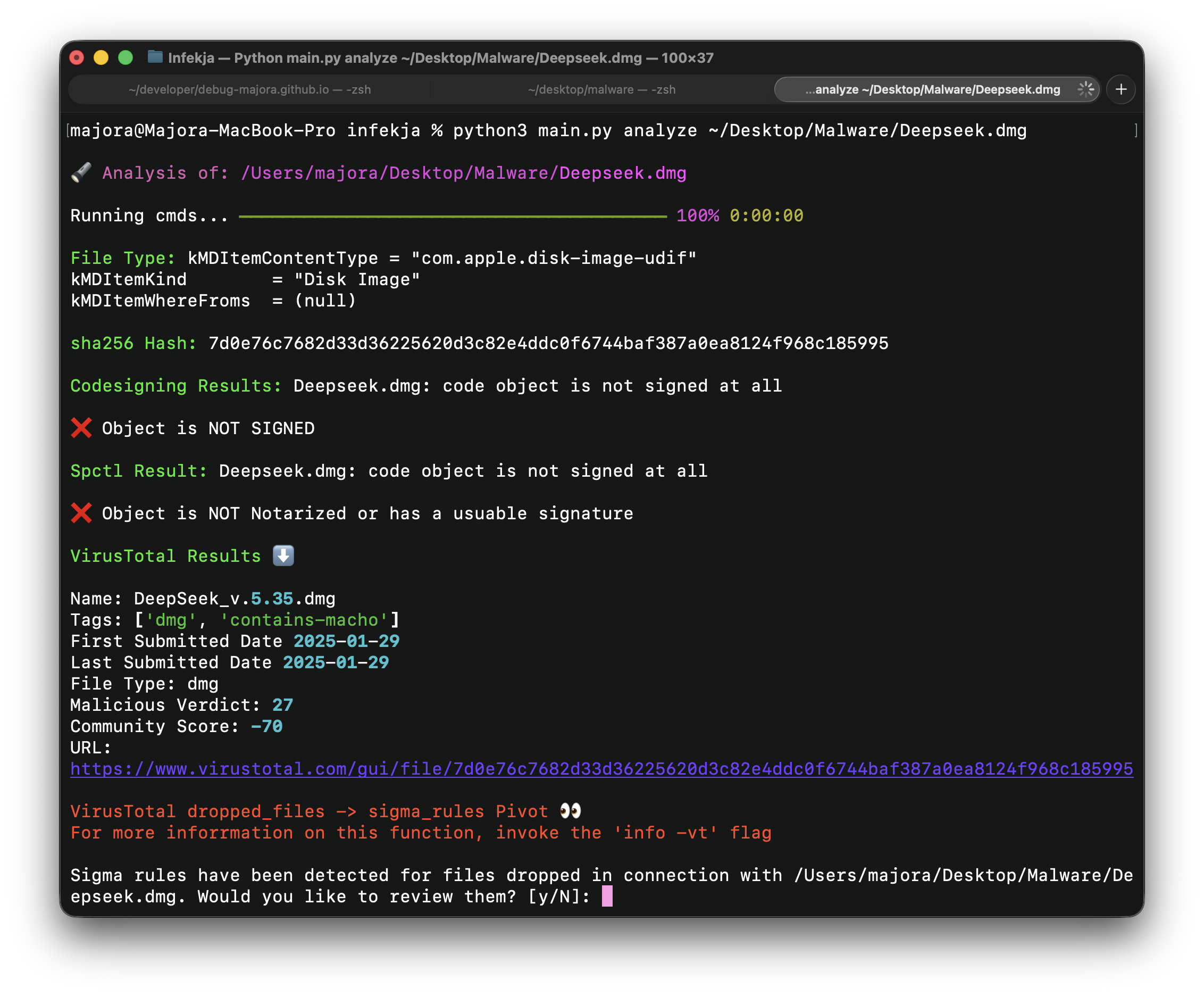
With the exeption of the dropped files pivot, all of this would have to be done manually otherwise. Infekja automates this entire process, saving valuable time during triage. For example, gathering the sha256 hash and signing info manually would require the following commands:
- shasum -a 256 deepseek.dmg
- codesign -dvvv deepseek.dmg
- spctl –assess deepseek.dmg
While it might seem trivial for a single file, when analyzing multiple samples a day, being able to automate these tasks can be a huge time saver.
Another useful feature of Infekja is the VirusTotal integration. Instead of having to manually upload the file to VirusTotal, or query the API for the hash, Infekja does this automatically and presents the results in a readable format. This includes detection ratios, AV names, and even a pivot to any dropped files that have been previously analyzed on VirusTotal.
Conclusion
Infekja is a tool designed to streamline the macOS malware analysis process. By automating common tasks and integrating with VirusTotal, Infekja helps gather relevant information and intel about potentially malicious applications/files. While it may not replace a full analysis, it serves as a valuable first “is this file suspicious?” step in triaging macOS malware samples. A more in depth blog post covering a more recent macOS sample is in the works. Until then, happy analyzing and thank you for reading!
References and Resources
- https://github.com/debug-majora/Infekja
- https://redcanary.com/blog/threat-detection/atomic-stealer/
- https://x.com/moonlock_lab (great macOS malware research)

Majora
Sigurnost | Security | Seguridad